
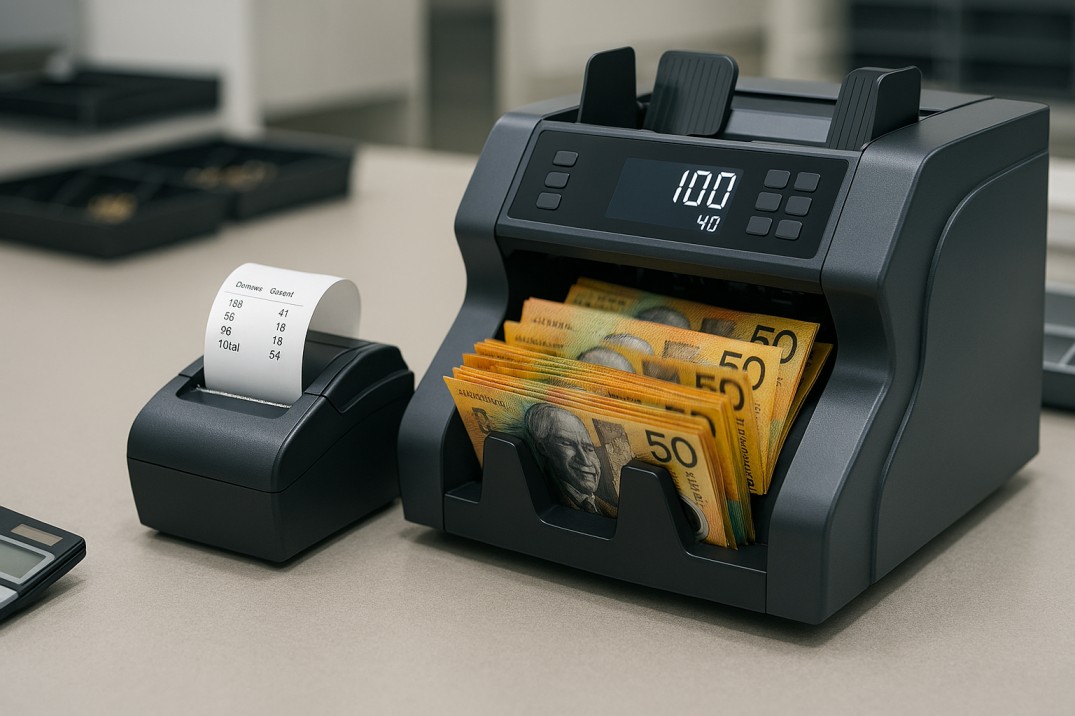
What Does a Receipt Printer Actually Do on a Money Counting Machine?
The printer function on a commercial money counter is not a receipt printer in the retail point-of-sale sense — it does not print a customer-facing document. It prints an internal count record: a timestamped slip showing the results of a counting session, typically including the total number of notes counted, the value total, and (depending on the machine and mode) a denomination breakdown or serial number list.
Think of it as the machine’s physical signature on a cash handling event. When a CIT operator seals a cash bag, when a teller closes their drawer, or when a bank manager signs off on a vault count, the printed receipt is the tangible record that accompanies the physical cash — something that can be signed, filed, or attached to a handover document without requiring access to a computer or network.
On machines without a built-in printer, the same data is typically available via LAN, USB, or serial port — but in a digital format that requires a connected device to capture and store. For some businesses, digital is preferable. For others — particularly those operating in environments where paper records are a compliance expectation — a physical printed receipt is the right tool.
| A Day in the Life
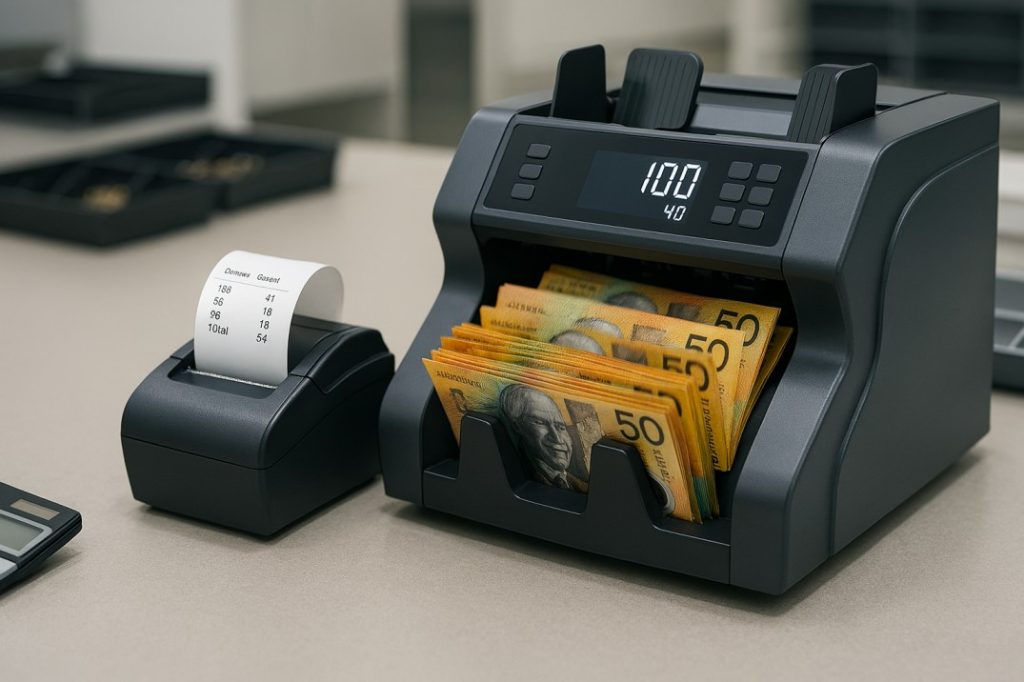
A cash-in-transit driver arrives at a busy retail client at 6:30 am. The store manager counts down the overnight safe using a Cashcom H110 with its optional receipt printer attached. The machine processes 847 notes in under 90 seconds — counting, authenticating, and logging serial numbers. The printer outputs a receipt showing the total count, denomination breakdown, and timestamp. The manager signs it. The driver attaches it to the sealed cash bag. The chain of custody is documented without a computer, a network connection, or a manual calculation in sight. |
What Can a Money Counter Machine Print?
Not all printer outputs are the same. The type of data a machine can print depends on the machine’s capabilities and the counting mode in use:
| Output Type | What It Prints | Who Needs It |
| Count receipt | Note quantity and value total for the current counting session | Any business wanting a physical audit record per count |
| Batch receipt | Subtotals per batch when counting in ADD mode across multiple loads | CIT operators, banks, high-volume retail |
| Denomination receipt | Breakdown by denomination (e.g. 5 × $50, 12 × $20, 8 × $10) | Teller float preparation, banking bundles, CIT handovers |
| Serial number report | List of serial numbers captured during the count session | Banks, credit unions, compliance and audit environments |
| Operator / shift log | Count totals attributed to a specific operator or shift | Multi-staff environments, shift reconciliation |
The Cashcom H110‘s optional printer port supports count receipts, batch receipts, and denomination breakdowns. The H210‘s real-time serial ID output — queryable by serial number, operator, or batch — can be directed to an external printer or captured digitally via LAN.
Receipt Printer vs Digital Output: Which Do You Actually Need?
This is the question most buyers get wrong — either over-specifying for a printer they won’t use, or under-specifying and ending up without an audit trail that their operation requires. The comparison below sets out the practical difference:
| Method | Physical Receipt Printer | Digital / LAN Output |
| Audit trail format | Paper receipt — tangible, offline | Electronic record — LAN, USB, or serial port |
| Requires IT setup? | No — plug-in printer, no network needed | Yes — LAN connection, data collection software |
| Multi-site aggregation | Manual (paper records brought together) | Automatic — data flows to central system |
| Suitable for CIT handover | ✅ Yes — signed physical receipt | ✅ Yes — electronic record preferred by some operators |
| Best for | Standalone branches, simple audit needs | Multi-location networks, compliance-heavy environments |
| Cashcom models | H110 (optional printer port), H210 | H110 (LAN+USB), H210 (LAN), LS-300 (LAN+remote mgmt) |
| Quick Calculation
A business doing two cash counts per day — open and close — generates 730 count events per year. With a receipt printer, that’s 730 signed physical records that can be filed, audited, or referenced in a dispute. Without a printer and without a connected digital capture system, that’s 730 count events with no permanent record beyond the staff member’s memory. For most single-till small businesses, a digital record via USB export is sufficient. For a CIT operator or a bank branch, a signed physical receipt is a procedural requirement. |
Signs You Should Buy — and Signs You Can Probably Skip the Printer
Signs You Should Buy a Machine with Printer Support
- You operate in a cash-in-transit environment where a signed physical receipt accompanies every sealed cash bag.
- You’re a bank branch or credit union where paper count records support teller reconciliation and audit requirements.
- You run a multi-shift business where each shift’s cash handling needs to be signed off independently, with a physical record per shift.
- Your business operates in a location without reliable LAN or network connectivity — a physical receipt is a more robust output than a digital one that requires a network to capture.
- Your accountant, franchiser, or head office requires a physical printed count record as part of your cash handling compliance procedure.
- You process large daily cash volumes where a denomination breakdown receipt speeds up banking preparation and reduces manual calculation.
Signs You Can Probably Skip the Printer
- You’re a single-till retail or hospitality business where a count result on the machine’s display — confirmed by a staff member — is sufficient for your closing procedure.
- You have LAN or USB connectivity on your machine and a system to capture digital count records — the digital record is equivalent to a physical one for most audit purposes.
- Your daily cash volume is light and your closing reconciliation is a simple till count rather than a multi-bag, multi-operator process.
- Adding a printer means adding consumables (paper rolls), a maintenance item, and a connection to manage — for a benefit you won’t use regularly.
Best Cashcom Models for Businesses Wanting Printer Output
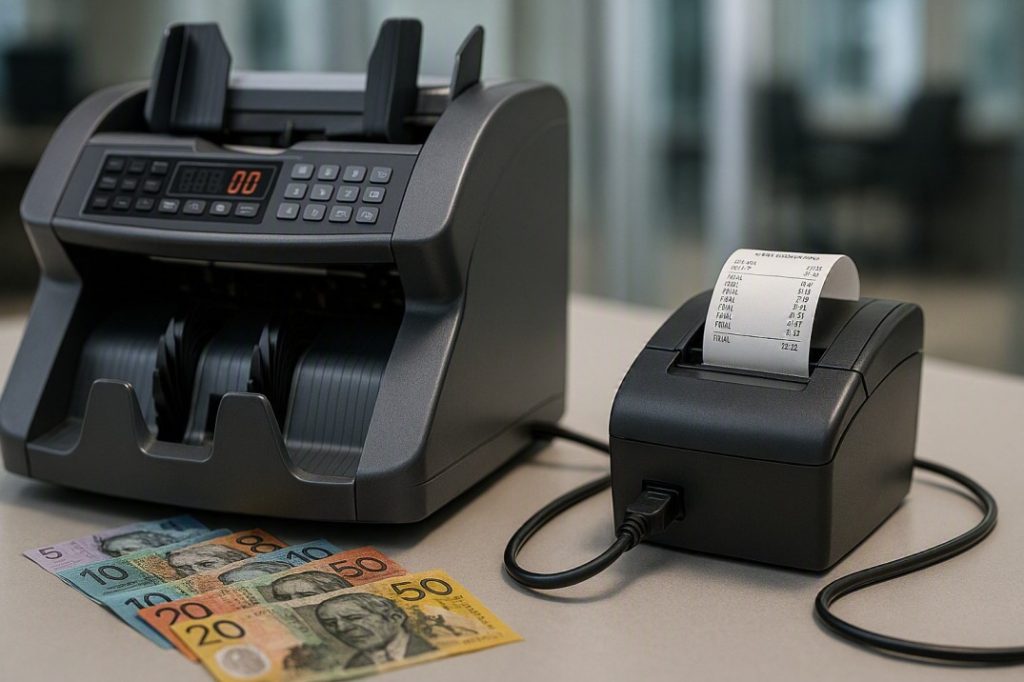
| Cashcom H110 — Best Overall with Optional Printer Support
📌 Best for businesses wanting print capability alongside commercial-grade detection Printer: Optional printer port — connects an external receipt printer for physical count records Detection: Dual CIS + UV + MG + IR (4-method simultaneous) Speed: 720 notes per minute Hopper / Stacker / Reject: 500-note / 200-note / 100-note Fitness Detection: 12-type fitness detection Serial Numbers: Full serial number logging Connectivity: LAN + 2x USB + Serial + optional printer Compliance: CE, CB, FCC certified Verdict: The H110 is the right choice for businesses that want the option of a physical printed record without committing to a printer as a hard requirement. The printer port is optional — you can run the machine without a printer attached and capture count data digitally via LAN or USB, then add the printer later if your audit requirements change. The detection spec (Dual CIS plus four-method simultaneous authentication) is the strongest in the Cashcom range for a single-counter machine, making it suitable for CIT, banking, and high-accountability retail environments where print output matters. View product → H110 Cash Counting Machine |

| Cashcom H210 — Best for Denomination-Sorted Print Records
📌 Best for businesses needing denomination-separated output with a logged record per sort Printer / Output: Real-time serial ID output via LAN — denomination-level records per operator and batch Detection: Double-face counterfeit ID, multi-level damage detection Speed: 900 notes/min counting, 750 notes/min sorting Output: 3 pockets — 2 sorted exits + 1 reject Audit: Real-time serial ID queryable by serial number, operator, or batch Verdict: The H210‘s 3-pocket denomination sorting means it doesn’t just count — it separates notes by value in the same pass, with the count record broken down accordingly. For businesses where the printed record needs to show not just a total but a denomination-level breakdown (banking bundles, float preparation, CIT handover by denomination), the H210’s output capability — captured via LAN for digital logging or directed to an external printer — is the most useful in the Cashcom range for this specific use case. View product → H210 Money Counter and Sorter Machine |

| ⚠️ Our Honest Assessment
The receipt printer feature is genuinely useful for a specific set of use cases — CIT, banking, multi-shift retail, and franchise environments where a physical signed record is a procedural requirement. For a large portion of Australian small businesses running a single till, it is not a feature worth paying a significant premium for. The Cashcom H110’s optional printer port is the right answer for businesses that are uncertain: it gives you the flexibility to add a printer when your operation requires it, without forcing you to pay for and manage a printer you’re not yet using. Start without the printer, connect it when the audit requirement arrives. |
Setting Up a Receipt Printer with Your Money Counter
For machines with a serial or USB printer port (such as the Cashcom H110), setup is straightforward:
- Compatible printers: most commercial thermal receipt printers with a serial or USB interface are compatible. Contact the Cashcom team on 0451 353 676 to confirm compatibility with your specific printer model before purchasing.
- Connection: connect the printer to the designated port on the machine (serial port on the H110). No driver installation is typically required — the machine outputs standard serial data that most thermal receipt printers accept natively.
- Print trigger: on most commercial machines, the printer outputs automatically at the end of each count session. Some models allow manual print triggers via a front-panel button — check your model’s quick-reference guide.
- Paper rolls: use standard thermal receipt paper in the size specified for your printer model. Keep a spare roll on hand — running out of paper mid-session is a common and avoidable interruption.
- Maintenance: the printer is a separate consumable item from the counting machine itself. Keep it clean and dust-free; a dirty print head produces illegible receipts that defeat the purpose of the audit trail.
| ⚠️ Important: Printer Port vs LAN — Don’t Confuse Them
Some buyers assume that a machine with LAN connectivity automatically supports a network printer. It does not — LAN connectivity on a cash counting machine outputs count data to a networked computer or data collection system, not directly to a network printer. A physical receipt printer connects via the dedicated serial or USB printer port, not the LAN port. Confirm your machine has a printer port (not just LAN) before purchasing a printer to connect to it. |
Frequently Asked Questions
| Question | Answer |
| Does a money counter machine come with a receipt printer built in? | Most commercial money counter machines — including the Cashcom H110 — do not have a built-in printer. They have a printer port that allows an external receipt printer to be connected. The printer is purchased separately and connected via the serial or USB port on the machine. |
| What does the receipt from a money counter machine show? | Depending on the machine and counting mode, a count receipt can show the total number of notes counted, the total value in AUD, a denomination breakdown (e.g. 5 × $50, 12 × $20), serial numbers captured during the count, batch subtotals, and operator or timestamp information. The Cashcom H110 supports count, denomination, and batch receipts via its optional printer port. |
| Do I need a receipt printer if my machine has LAN connectivity? | Not necessarily — if you have a connected device capturing count data digitally via LAN or USB, that record is functionally equivalent to a printed receipt for most audit purposes. A physical printer is most valuable where a signed paper record is a procedural requirement (CIT handovers, bank teller reconciliation) or where there is no reliable network connection to capture digital records. |
| Which Cashcom machine has a printer port? | The Cashcom H110 includes an optional printer port alongside LAN, 2x USB, and Serial connectivity. Contact the Cashcom team on 0451 353 676 to confirm printer compatibility and current available configurations. |
| Can I add a printer to my existing Cashcom machine? | If your machine has a serial or USB printer port, a compatible external printer can typically be added without any firmware change. Contact Cashcom to confirm compatibility before purchasing a printer for your specific model. |
| What type of printer connects to a money counter machine? | Most commercial money counter machines use a standard thermal receipt printer connected via serial or USB. Thermal printers are preferred because they have no ink cartridges to manage — the print head heats the thermal paper directly. Contact the Cashcom team to confirm which printer models are compatible with your machine. |
| Is a receipt printer required for cash-in-transit operations in Australia? | CIT operators in Australia typically require a physical count record to accompany sealed cash bags as part of chain-of-custody documentation. While a signed paper receipt is the most common format, some operators accept digital records. Confirm the specific requirement with your CIT provider or the relevant security and compliance standards applicable to your operation. |
Talk to Cashcom About Printer-Compatible Machines
If you’re looking for a money counter machine with receipt printer support — or want to add a printer to an existing machine — the Cashcom team can advise on compatible configurations and printer models for your specific use case.
Call: 0451 353 676 | Email: sales@cashcom.com.au | Web: cashcom.com.au
Also see: Cash Counting Machine Australia: The Ultimate Buyer’s Guide 2026 — for a full comparison of Cashcom models and their connectivity options.
About the Author
This article was prepared by the Cashcom Team, Australian Cash Handling Specialists since 2015. Cashcom supplies and services cash counting, sorting and recycling equipment for retail, hospitality, banking, gaming and cash-in-transit businesses across Australia.
Get in touch: 181 Parramatta Rd, Haberfield NSW 2045 | 0451 353 676 | sales@cashcom.com.au | cashcom.com.au